
Type 2 + 3 × 4 on a Basic and a Scientific Calculator and You'll Get Two Different Answers
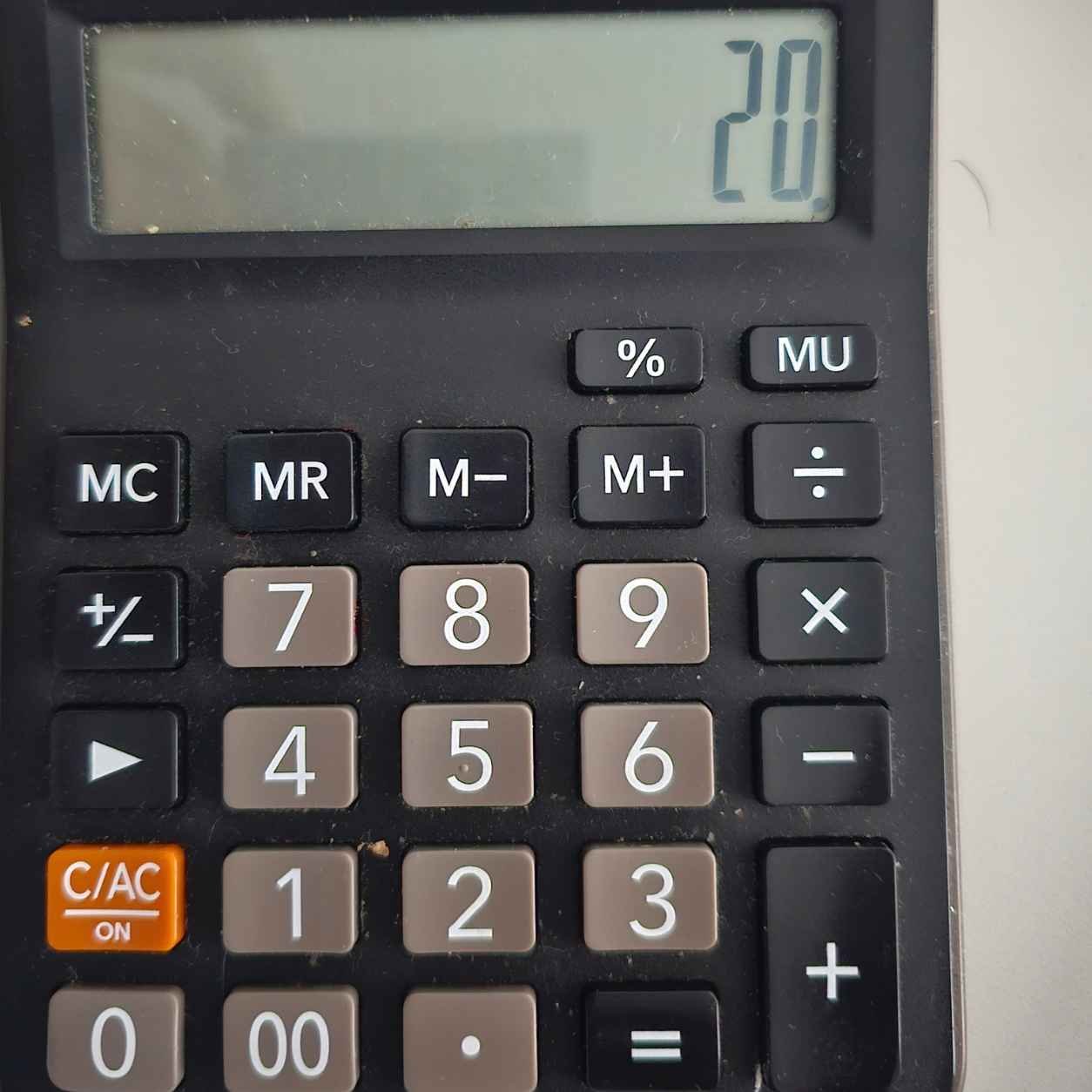
Grab the cheap calculator from your desk drawer and type 2 + 3 × 4 =. Now type exactly the same keys into a scientific calculator or the calculator app on your phone. Same buttons, same order, and yet the two screens disagree.
Neither calculator is broken. They're following two different sets of rules about when to do the math, and once you understand the difference, you'll never trust a calculator blindly again.
Key takeaways
- By standard math rules, 2 + 3 × 4 equals 14, because multiplication comes before addition.
- Most basic calculators use "immediate execution," doing each step the moment you press the next operator, so they get 20.
- Scientific calculators remember the whole problem and apply the order of operations.
- Basic calculators aren't wrong; they were designed for running totals, like adding up receipts.
- You can get the right answer on any basic calculator by changing the order you press the keys.
Table of contents
- What Each Calculator Is Actually Doing
- So Which Answer Is Correct?
- Why Math Has an Order of Operations at All
- Why Basic Calculators Ignore the Rule
- How a Scientific Calculator Holds Its Thoughts
- How to Get 14 on a Basic Calculator
- Other Calculator Traps Worth Knowing
- Test Every Calculator You Own
- Frequently Asked Questions
- Sources and Further Reading
01What Each Calculator Is Actually Doing
The difference comes down to one question: does the calculator do the math as you go, or does it wait until it has seen the whole problem?
Most basic four-function calculators work as you go. This method is called immediate execution, or chain calculation. Every time you press an operator key like + or ×, the calculator finishes the previous step and shows you a running total. Here's what that looks like, keypress by keypress:
On a basic calculator
Look at the fourth step. The moment you press ×, the basic calculator adds 2 and 3 without knowing a multiplication is coming. By the time you type the 4, the addition is already locked in.
A scientific calculator waits. When you press ×, it notices that multiplication should happen before the addition, so it holds onto the 2 and the + and deals with 3 × 4 first. Only when you press = does it finish the job: 3 × 4 = 12, then 2 + 12 = 14.
02So Which Answer Is Correct?
Written as a math problem, 2 + 3 × 4 equals 14. That's what any math teacher, textbook, spreadsheet, or programming language will tell you, because of the convention known as the order of operations.
The rule says to work through a problem in this order: anything in brackets first, then exponents (powers and roots), then multiplication and division from left to right, and finally addition and subtraction from left to right. Different countries teach it with different memory aids:
All four describe the same idea. Multiplication beats addition, so the 3 × 4 happens before the 2 is added.
03Why Math Has an Order of Operations at All
The order of operations isn't a law of nature. It's an agreement, like driving on one side of the road, that lets everyone read the same expression the same way.
Without it, every expression would need a thicket of brackets to avoid confusion. Mathematician Hung-Hsi Wu of the University of California, Berkeley, has explained that the convention exists mainly to save writing. Algebra is full of expressions like 3x² + 2x + 5, and the order of operations lets you write them cleanly instead of as ((3 × (x²)) + (2 × x)) + 5.
There's also a practical logic to multiplication ranking higher. If a shop sells 3 notebooks at ₱40 each plus a ₱10 pen, you naturally calculate 10 + 3 × 40 as ten plus the cost of the notebooks: ₱130. The multiplication describes a group of things that belong together, so it gets bundled up first.
04Why Basic Calculators Ignore the Rule
If 14 is correct, why do millions of basic calculators give 20? Because they were built for a different job.
Basic calculators descend from mechanical adding machines, the clunky office devices accountants and shopkeepers used to total up columns of figures. Those machines kept a running total, and so do basic calculators. If you're adding up a stack of receipts, a running total is exactly what you want: you can see the subtotal after every entry and catch mistakes as you go.
There were engineering reasons too. Early pocket calculators had tiny amounts of memory and simple seven-segment displays that could only show numbers, not a whole written expression. Doing each step immediately meant the calculator only ever had to remember one number and one pending operation. Holding a full expression in memory and sorting out priorities required more complex, more expensive chips.
According to the overview of calculator input methods on Wikipedia, this chain-calculation style is still used on most simple four-function calculators, and even the Standard mode of the Windows calculator works this way, while its Scientific mode follows the order of operations.
05How a Scientific Calculator Holds Its Thoughts
To follow the order of operations, a calculator needs to remember unfinished steps. When you type 2 + 3 ×, the scientific calculator stores the 2 and the pending addition in a kind of waiting list, then works on the higher-priority multiplication before returning to finish the addition.
Manufacturers have given their systems different names. Texas Instruments called an early version the Algebraic Operating System (AOS) and a later one the Equation Operating System (EOS), and it publishes a short explanation of the difference. Casio uses the name V.P.A.M. (Visually Perfect Algebraic Method), and Sharp calls its approach D.A.L. (Direct Algebraic Logic). Modern scientific and graphing calculators also show the whole expression on screen, so you can check it before pressing =.
Some calculators took a completely different path. Hewlett-Packard became famous in the 1970s for Reverse Polish Notation, where you enter the numbers first and the operation after. On those calculators, 2 + 3 × 4 is typed as 3, Enter, 4, ×, 2, +. It sounds strange, but it needs no brackets at all, and many engineers still swear by it.
06How to Get 14 on a Basic Calculator
You don't need a new calculator. You just need to feed the problem in an order that matches how the machine thinks.
Rearrange the problem so the higher-priority step comes first:
3 × 4 + 2 = gives 14. Because addition doesn't care about order, the answer is the same.For longer problems like 4 × 5 + 6 × 7, calculate each part separately and store it:
4 × 5 = M+, then 6 × 7 = M+, then press MR to recall the total, 62.Most phone calculator apps follow the order of operations, and many reveal a full scientific keypad when you turn your phone sideways.
07Other Calculator Traps Worth Knowing
The negative number trap
Computer scientist Harold Thimbleby has pointed out that 4 × (−5) can give three different answers on a basic calculator, depending on which keys you press. Press × then − then 5, and many calculators treat the minus as a correction, replacing × and calculating 4 − 5 = −1. Press the ± key before the 5, and some calculators ignore it, giving 20. You usually have to press ± after the 5 to get the correct −20.
The viral puzzle problem
Social media regularly explodes over puzzles like 6 ÷ 2(1 + 2). The debate comes from the implied multiplication in "2(1 + 2)," written without a × sign. Some people, and some calculators, treat that as a single bundled unit, giving 1. Others follow a strict left-to-right reading, giving 9. Different calculator brands, and sometimes different models from the same brand, have handled it differently. The real lesson is that the problem is badly written, and a pair of extra brackets would end the argument.
The spreadsheet surprise
Spreadsheets follow the order of operations, so =2+3*4 in Excel gives 14. But Excel has a quirk of its own: it applies a leading minus sign before exponents, so =-2^2 returns 4, while most math teachers would say −4.
08Test Every Calculator You Own
This is a fun two-minute experiment for your desk, your family, or your classroom. Type 2 + 3 × 4 = into every calculator you can find and compare the results. Here's what you'll typically see, though individual models can vary:
| Calculator | Typical result | Why |
|---|---|---|
| Basic desk or pocket calculator | 20 | Immediate execution |
| Scientific or graphing calculator | 14 | Follows order of operations |
| Windows calculator, Standard mode | 20 | Mimics a basic calculator |
| Windows calculator, Scientific mode | 14 | Follows order of operations |
| Most smartphone calculator apps | 14 | Evaluates the full expression |
| Spreadsheet formula (=2+3*4) | 14 | Follows order of operations |
If you find a calculator that surprises you, it's a great conversation starter, and a useful reminder to double-check any important calculation, especially on a device you don't know well.
09Frequently Asked Questions
Is my basic calculator broken if it shows 20?
No. It's working exactly as designed. Basic calculators solve problems one step at a time in the order you press the keys, which is ideal for running totals but doesn't follow the order of operations.
What is the correct answer to 2 + 3 × 4?
The correct answer is 14. Multiplication is done before addition, so 3 × 4 = 12, and 2 + 12 = 14.
Can I use a basic calculator for school math?
Yes, as long as you enter problems in the right order or use the memory keys. For algebra and anything with brackets, a scientific calculator saves time and prevents mistakes.
How can I tell which type of calculator I have?
Type 2 + 3 × 4 =. If you get 20, it uses immediate execution. If you get 14, it follows the order of operations. Calculators with bracket keys and a screen that shows the whole expression almost always give 14.
Why do cashiers and accountants still use basic calculators?
Because most of their work is adding and subtracting long lists of numbers, where a running total is exactly what they need. Many office calculators also include extras like tax keys and grand-total (GT) keys built for that kind of work.
Curious minds never stop learning. Try today's brand-new quiz topic!
Take Today's Quiz10Sources and Further Reading
- Wikipedia. Calculator input methods.
- Texas Instruments. Differences Between Algebraic Operating System (AOS) and Equation Operating System (EOS).
- Wu, H. "Order of operations" and other oddities in school mathematics. Department of Mathematics, University of California, Berkeley.
- Thimbleby, H. (1998). A new calculator and why it is necessary. Middlesex University.