Minecraft Education: Benefits, Uses, and Complete Classroom Guide
Game-based learning has changed the way many teachers think about classroom technology. Instead of asking students to only read, listen, and memorize, teachers can now invite them to build, test, explore, collaborate, and solve problems in digital spaces that feel active, creative, and meaningful.
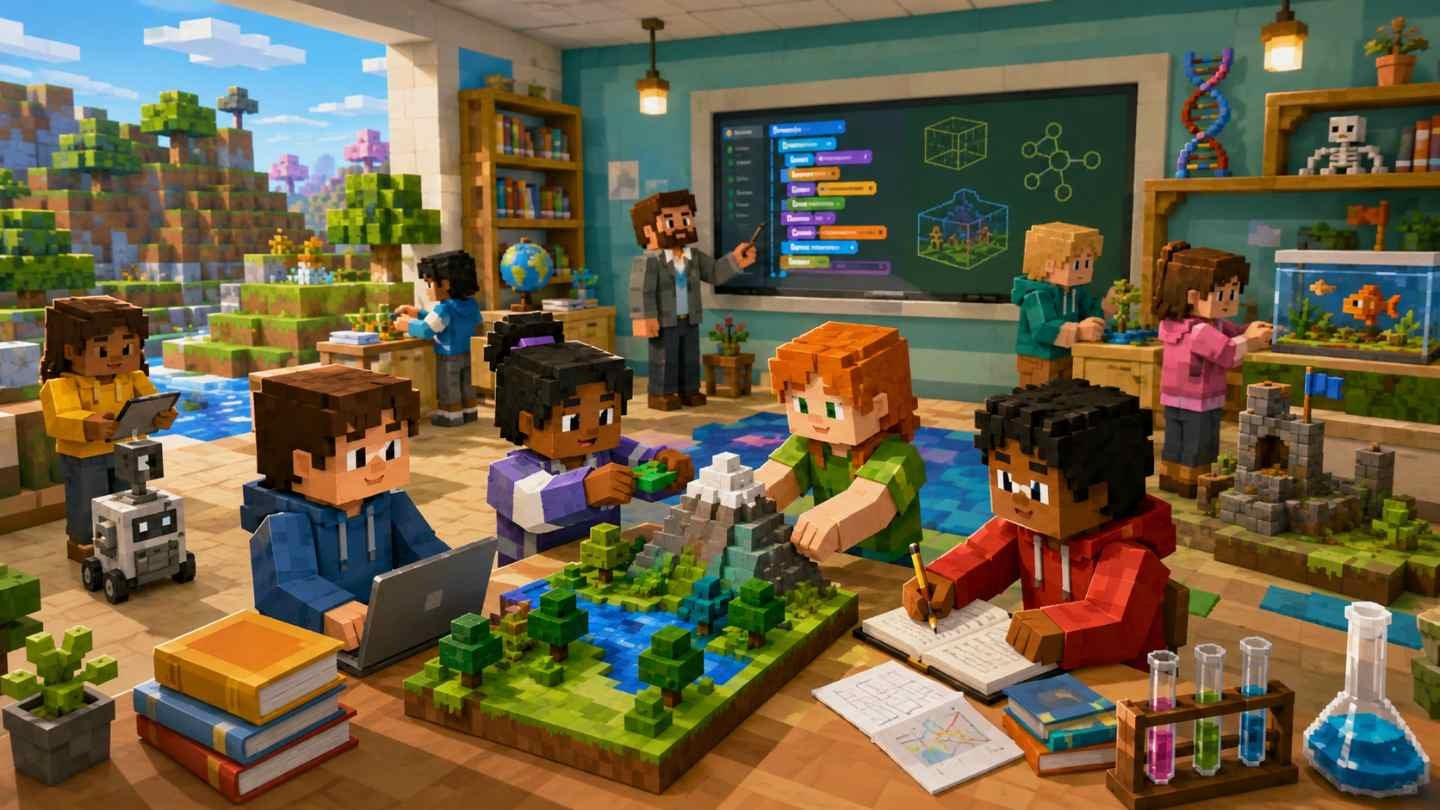
That is where Minecraft Education becomes especially useful. Many students already know Minecraft as a creative building game, but Minecraft Education is designed specifically for learning. It turns the familiar block-based world into a classroom tool where students can study science, math, coding, history, language arts, digital citizenship, teamwork, and creative problem-solving.
Used thoughtfully, Minecraft Education is not “just playing a game.” It is a form of digital learning that helps students learn by doing. They can build historical landmarks, code simple programs, model ecosystems, design sustainable cities, explain stories through 3D scenes, or work together to solve classroom challenges.
What Is Minecraft Education?
Minecraft Education is a classroom version of Minecraft created for schools, teachers, and learners. It keeps the creative, open-world style of Minecraft but adds learning tools, classroom controls, lesson resources, and curriculum-friendly features.
In simple terms, it allows students to learn inside a digital world where they can build, explore, investigate, code, and collaborate.
✨ Teachers can use Minecraft Education for subjects such as:
- Science
- Math
- Coding
- Engineering
- History
- Geography
- Language arts
- Art and design
- Digital citizenship
- Environmental studies
- Social-emotional learning
Minecraft Education also includes lesson libraries, classroom worlds, coding tools, multiplayer collaboration, assessment opportunities, and teacher-friendly resources. Educators can explore official resources through the Minecraft Education website, which provides lessons, training, and classroom support.
How Minecraft Education Works in the Classroom
Minecraft Education works by placing students inside a shared digital environment where learning tasks become interactive. Instead of simply reading about a rainforest, students can build one. Instead of only learning about circuits from a diagram, they can create a working model using redstone. Instead of writing a report about ancient civilizations, they can design a 3D reconstruction and explain their choices.
A typical Minecraft Education lesson may include:
- A learning objective: The teacher begins with a clear goal, such as understanding ecosystems, practicing coordinates, learning block-based coding, or exploring historical architecture.
- A guided activity: Students enter a prepared Minecraft world or start from a blank space where they complete a challenge.
- Collaboration and discussion: Learners work in pairs or groups, share ideas, divide tasks, and solve problems together.
- Creation or investigation: Students build, code, test, revise, and explain their work.
- Reflection and assessment: The teacher asks students to describe what they learned, show evidence, answer questions, or present their project.
The key is that Minecraft Education should be connected to real learning outcomes. The game world becomes the learning space, but the teacher still guides the purpose.
Why Minecraft Education Matters in Modern Learning
Modern classrooms need more than worksheets and lectures. Students are growing up in a world filled with technology, information, collaboration, and creative problem-solving. They need to know how to think, communicate, design, adapt, and use digital tools responsibly.
Minecraft Education supports this shift because it encourages students to be active learners. They are not just receiving information. They are building meaning.
It also helps teachers make abstract ideas more concrete. A student who struggles to understand area and volume on paper may understand it better after building a structure block by block. A student who finds coding intimidating may feel more confident when programming an agent to complete a task in Minecraft.
💡 Why it works
The strength of game-based learning is that it can make learning feel less passive and more alive. Students do not only hear the lesson. They touch it, build it, test it, revise it, and explain it.
Major Benefits of Minecraft Education
🚀 Increases Student Engagement
Many students become more motivated when they can interact with lessons instead of only reading or listening. Classroom activities feel more exciting when learners build models, explore virtual spaces, or solve mission-based challenges.
🎨 Encourages Creativity
Students can design buildings, landscapes, machines, stories, cities, farms, museums, ecosystems, and inventions. This gives learners a visual and spatial way to express understanding.
🤝 Supports Collaboration
Students can plan projects together, assign roles, communicate during builds, and solve challenges as a group. This mirrors real-world teamwork and shared responsibility.
🧩 Builds Problem-Solving Skills
Minecraft Education often asks students to solve open-ended problems. They test ideas, fix mistakes, improve designs, and learn persistence through trial and revision.
🧠 Strengthens Critical Thinking
Students compare options, evaluate results, explain reasoning, and make design choices. This makes the platform useful for project-based and inquiry-based learning.
💻 Develops Digital Literacy
Students practice using digital tools, navigating virtual spaces, collaborating online, and communicating responsibly. Teachers can also connect lessons to digital citizenship and cyber safety.
The ISTE Standards are a helpful reference for schools that want to connect classroom technology with responsible, meaningful, and student-centered learning.
Minecraft Education for STEM and Coding
Minecraft Education fits naturally into STEM education because students can explore science, technology, engineering, and math through hands-on digital experiences. They can build bridges, model habitats, calculate dimensions, simulate systems, create machines, and use code to automate tasks.
STEM lesson ideas include:
- Build a bridge and explain how it supports weight
- Design a simple machine
- Create a renewable energy village
- Model the water cycle
- Build a plant or animal cell
- Create a food chain or ecosystem
- Use coordinates to locate objects
- Calculate area, perimeter, and volume
- Design a disaster-resistant structure
- Build a sustainable farm
Coding can feel intimidating when students only see lines of text. Minecraft Education makes coding more approachable by allowing students to use block-based coding and visual commands. Students can program an agent, automate tasks, create patterns, build structures, and solve problems using code.
Coding activities may include:
- Program an agent to move through a maze
- Use loops to repeat building actions
- Create patterns using code
- Automate farming or mining tasks
- Build geometric shapes with commands
- Debug a broken sequence
- Explore basic AI and computer science concepts
Teachers can explore structured resources through Minecraft Education’s official Computer Science resources and Microsoft’s Minecraft Education training materials on Microsoft Learn.
Important Skills Students Can Develop
Creativity
Students imagine, design, and build original projects that show understanding through visual models.
Collaboration
Students practice teamwork, group planning, respectful communication, and shared problem-solving.
Problem-Solving
Students test ideas, fix mistakes, and improve designs through repeated attempts.
Critical Thinking
Students evaluate choices, compare solutions, and explain why one approach may work better.
Coding
Students learn sequencing, loops, events, conditionals, algorithms, debugging, and automation.
Communication
Students explain builds, present projects, write reflections, and respond to feedback.
Common Classroom Uses and Lesson Ideas
Minecraft Education can be used in many different subjects. The best lessons begin with a clear learning objective and end with reflection, explanation, or presentation.
📚 History lessons
History becomes more memorable when students recreate places, events, and cultural settings. Students can build an ancient civilization, recreate a historical landmark, design a medieval village, build a museum exhibit, compare old and modern cities, create a timeline, or show how geography influenced a civilization.
📖 Language arts lessons
Students can build a scene from a novel, create a setting for an original story, design a character’s home, recreate a major plot event, build a symbol from a poem, present a book report as a 3D world, or create a dialogue-based adventure.
🎨 Creative design lessons
Students can design a dream school, build a future city, create public art, make a digital sculpture, design an invention, build a peaceful community space, construct a fantasy world, or create a themed exhibition.
Benefits for Teachers, Students, Parents, and Schools
👩🏫 For Teachers
Minecraft Education helps teachers turn abstract lessons into visual experiences, support project-based learning, create cross-subject activities, encourage participation, and give students more ways to show understanding.
🧑🎓 For Students
Students can learn by building, experimenting, collaborating, coding, explaining ideas, improving confidence, learning from mistakes, and connecting school topics to real-world thinking.
👨👩👧 For Parents
Parents can see children practice teamwork, explain academic ideas, create projects, build digital skills, learn coding, and become more interested in school topics.
🏫 For Schools
Schools can support STEM programs, technology integration, coding instruction, project-based learning, digital citizenship, student engagement, and creative classroom culture.
Examples of Minecraft Education Classroom Activities
🌱 Build a Sustainable City
Students design a city with homes, transportation, clean energy, water systems, parks, farms, and waste management, then explain how it supports people and the environment.
🏛️ Create a Historical Museum
Students build a museum about a historical period. Each exhibit includes important people, events, artifacts, and explanations.
🤖 Code an Agent Through a Maze
Students program an agent to move through a maze using coding blocks, then test commands, find errors, and improve their code.
📚 Build a Story Setting
Students choose a scene from a story or create their own setting, then explain how it supports the mood, characters, and plot.
🌍 Model an Ecosystem
Students create an ecosystem with plants, animals, water, landforms, and food chains, then explain how living and nonliving things interact.
🧮 Design a Math Village
Students build homes, roads, gardens, and public spaces using specific measurements, then calculate area, perimeter, volume, and scale.
🎯 Bonus idea: Build a Digital Quiz Room
Students can create a Minecraft room with question stations. Each station includes a question, answer choices, and a clue. This connects well with a daily quiz challenge for extra practice, review, and classroom fun.
Tips for Using Minecraft Education Effectively
Best practices for teachers:
- Start with the learning goal. Before opening Minecraft Education, ask what students should learn.
- Keep the first lesson simple. Begin with a short build, guided exploration, or simple coding task.
- Set clear rules. Explain what students can build, where they can go, how they should communicate, and what behavior is not allowed.
- Use roles in group work. Assign roles such as builder, researcher, designer, coder, recorder, or presenter.
- Include reflection. Ask students to explain what they built, what problem they solved, what was difficult, and how the project connects to the lesson.
- Balance screen time. Combine Minecraft Education with discussion, reading, writing, hands-on materials, and teacher instruction.
- Assess the learning. Grade explanations, accuracy, teamwork, problem-solving, and reflection instead of only the appearance of the build.
Possible Challenges and How to Manage Them
Students May Get Distracted
Use clear goals, time limits, check-in points, task sheets, and rubrics before students begin.
Teachers May Feel Unprepared
Start small, use beginner lessons, let students help with basic navigation, and focus on teaching rather than becoming an expert overnight.
Multiplayer Can Be Hard to Manage
Set behavior rules, assign group roles, monitor progress, and create consequences for disrupting the learning space.
Technology Access May Vary
Plan device-sharing activities, use pair work, test the lesson before class, and coordinate with school IT staff.
How to Get Started With Minecraft Education
- Explore the platform. Visit the official Minecraft Education site to understand available features, lessons, and setup options.
- Check access and licensing. Schools usually need appropriate education accounts and device access.
- Try a demo or beginner lesson. Choose a simple activity that matches your subject and grade level.
- Learn the basic controls. Give students time to practice movement, placing blocks, breaking blocks, and using classroom tools.
- Choose one learning objective. Keep the first activity focused and easy to understand.
- Set expectations. Explain time limits, behavior rules, group roles, and the final output.
- Let students build and explore. Allow students to work, test, revise, and ask questions.
- End with reflection. Ask students to present, write, discuss, or record what they learned.
Common Myths About Minecraft Education
Myth 1: Minecraft Education is just a game.
Minecraft Education uses a game environment, but it is designed for learning. When guided by a teacher, it can support academic goals, creativity, collaboration, and problem-solving.
Myth 2: Students will not learn real skills.
Students can develop real skills, including coding, communication, STEM thinking, planning, digital literacy, and teamwork.
Myth 3: Teachers need to be Minecraft experts.
Teachers do not need to know everything before starting. They can begin with simple lessons and learn alongside students.
Myth 4: Minecraft Education only works for STEM.
Minecraft Education is excellent for STEM, but it can also support history, language arts, art, geography, social studies, and creative projects.
Myth 5: It replaces traditional teaching.
Minecraft Education should not replace good teaching. It works best when combined with discussion, reading, writing, questioning, and reflection.
Frequently Asked Questions About Minecraft Education
What is Minecraft Education used for?
Minecraft Education is used for classroom learning through building, coding, collaboration, problem-solving, and creative projects. Teachers can use it for STEM, history, language arts, digital citizenship, coding, and more.
Is Minecraft Education good for students?
Yes. Minecraft Education can be good for students when used with clear learning goals. It can support creativity, teamwork, critical thinking, coding, communication, and engagement.
Can Minecraft Education teach coding?
Yes. Minecraft Education includes coding activities that help students learn sequencing, loops, events, conditionals, debugging, and automation.
What subjects can teachers teach with Minecraft Education?
Teachers can use Minecraft Education for science, technology, engineering, math, coding, history, geography, language arts, art, design, and digital citizenship.
How can teachers assess Minecraft Education projects?
Teachers can assess projects through rubrics, presentations, written reflections, screenshots, explanations, peer feedback, and observation of teamwork and problem-solving.
Conclusion: Using Minecraft Education With Purpose and Balance
Minecraft Education has become a valuable classroom tool because it meets students in a world they understand while giving teachers a flexible space for meaningful learning. It supports game-based learning, classroom technology, digital learning, STEM education, coding for students, collaborative learning, and creative learning in a way that feels active and memorable.
But like any educational tool, Minecraft Education works best when used with purpose. It should not be treated as free play with no direction, and it should not replace reading, writing, discussion, teacher instruction, or hands-on experiences.
The real power of Minecraft Education comes from balance. When teachers set clear goals, guide collaboration, connect activities to the curriculum, and include reflection, Minecraft Education can help students build more than digital worlds. It can help them build confidence, curiosity, problem-solving habits, communication skills, and a deeper love of learning.